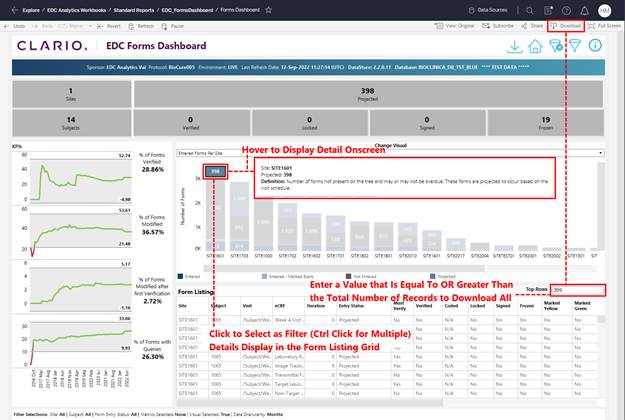
The Form List Grid populates after you select
one (1) or more metric filters.
By default, the grid displays the top 25
records. To display additional records,
enter a value in the “Top Rows” field.
Hover over a metric to display total number of records.
To display ALL records for the selection(s),
enter a value that is equal to or greater than the total number of records in
your selection(s); optionally, use the Download button to create a file.
Optionally, use the Download button (top
right of screen) to download the file.
Select the Crosstab option to download in Excel format. Refer to Download (button) for
details. The download file only
contains records that display in the grid.
Figure 87: Use the Top Rows Field to Change Number of Records to Display in Grid
Related Topics